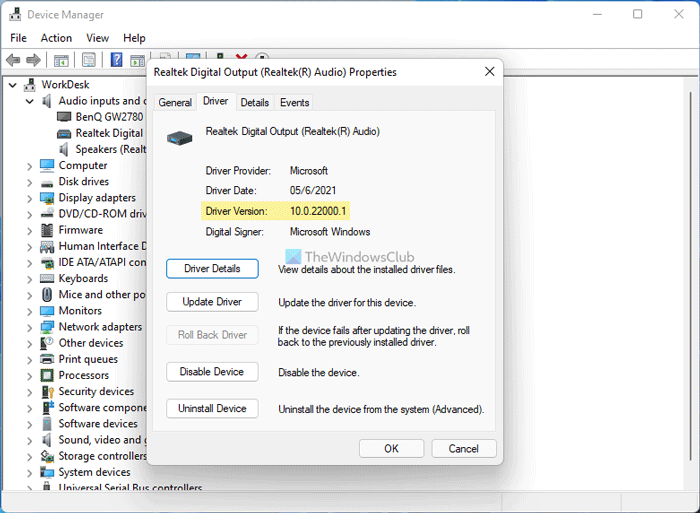
Introduction: In Windows operating system, unsigned drivers are drivers that are not verified by Microsoft. These drivers are often created by individual developers or small companies and are not digitally signed with a certificate from a trusted certificate authority. Despite the security concerns that come with installing unsigned drivers, there may be times when it is necessary to install them in order to use certain hardware or software.
Installing unsigned drivers on Windows can be a bit of a challenge, but it is possible to do so by following these steps:
Boot into Advanced Startup Options: To do this, hold the Shift key while clicking the restart button in Windows. This will take you to the advanced startup options screen.
Disable Driver Signature Enforcement: From the advanced startup options screen, select “Troubleshoot,” then “Advanced Options,” then “Startup Settings,” and finally “Restart.” After your computer restarts, press the “7” key to disable driver signature enforcement.
Install the Unsigned Driver: With driver signature enforcement disabled, you can now install the unsigned driver. Simply double-click the installation file, and follow the on-screen instructions to complete the installation process.
Enable Driver Signature Enforcement: Once the driver is installed, it is recommended to re-enable driver signature enforcement to help ensure the stability and security of your system. To do this, follow the same steps you used to disable driver signature enforcement, but instead press the “F7” key to enable it.
Note: Installing unsigned drivers can be dangerous, and may pose a security risk to your system. Before installing an unsigned driver, it is recommended to verify its source and ensure it is from a trusted source.
Conclusion:
Installing unsigned drivers on Windows can be a bit of a challenge, but
it is possible to do so by following the steps outlined in this article.
However, it is important to remember that installing unsigned drivers
can be dangerous and may pose a security risk to your system. Before
installing an unsigned driver, it is recommended to verify its source
and ensure it is from a trusted source. By taking these precautions, you
can help ensure the stability and security of your Windows operating
system.

0 comments:
Post a Comment
Note: Only a member of this blog may post a comment.